Chapters
- 0:00Intro
- 0:03With ShelfCollect, you can offer that store a…
- 0:16Here, that's four monthly payments of eleven…
- 0:29The store hears about it on its own
- 0:41On their payment link, they choose Pay over…
- 0:53Before anything happens, they see the exact…
- 1:05You approve it right on the invoice page
- 1:18Once you approve, the first payment is…
- 1:32Their payment link turns into a plan page
- 1:45If one of their payments bounces, you report…
- 2:01Slow accounts turn into money on a schedule,…
Full transcript
With ShelfCollect, you can offer that store a payment plan, right from the invoice. Pick how often, weekly, every two weeks, or monthly. Then pick how many payments, anywhere from two to twenty-four.
Here, that's four monthly payments of eleven hundred and five dollars. Four of those add up to the whole invoice. And it's zero percent interest, so the store pays nothing extra.
The store hears about it on its own. Their invoice email, and every reminder, says: need more time? A zero percent payment plan is available.
On their payment link, they choose Pay over time. Each payment comes straight from their bank account, by ACH bank transfer or e-check. And if they saved their bank for that store before, it's one click.
Before anything happens, they see the exact schedule and sign off on it. Then the request comes to you. Nothing leaves their account until you say yes.
You approve it right on the invoice page. Forget about it, and you get a reminder after two days. If seven days pass with no answer, the request is declined on its own, and the invoice goes back to normal.
Once you approve, the first payment is collected right away. The rest happen automatically, on each date. Before every payment, the store gets a heads-up three days ahead, and a receipt right after.
Their payment link turns into a plan page. It shows the whole schedule, how much is done so far, and the next date. And a Stop future payments button keeps the store in control.
If one of their payments bounces, you report it in one click. The plan pauses, and your QuickBooks stays in sync. Then you decide. Resume the plan, or cancel it, and whatever is left becomes a normal invoice again, with reminders.
Slow accounts turn into money on a schedule, with no chasing. Stores get breathing room, with no finance charge. That's payment plans, in ShelfCollect.
More in ShelfSpace for Vendors
 Episode 1
3:18
Episode 1
3:18
Finding and Depositing Your Check
Where your check lives in the portal, how to download and print it, and how to deposit it with your bank.
Watch + transcript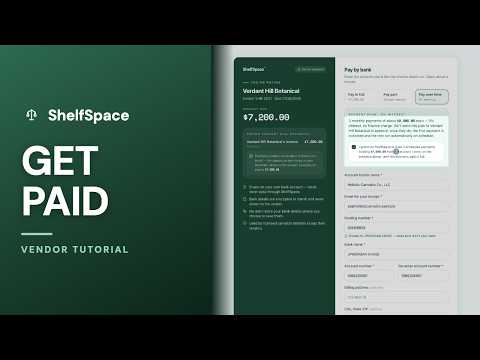 Episode 2
3:49
Episode 2
3:49
ShelfCollect
Bill a dispensary, let ShelfSpace chase the payment for you, and collect straight from their bank — with you approving any payment plan.
Watch + transcript Episode 3
1:50
Episode 3
1:50
One Store, Several Reps
When several of your reps sell to the same store, give each invoice its own rep so every rep follows up on their own sales.
Watch + transcript Episode 4
2:18
Episode 4
2:18
ShelfCollect AI Phone Calls: Get Paid Faster
Tick one box and an automated assistant calls the store about its overdue invoices, then brings back a promise to pay with a date and how they'll pay.
Watch + transcript