Your sales reps are in a store every week. The buyer knows them and answers their texts. But when it comes to getting paid, most reps have no idea what that store owes. The office has the aging report. The rep has a handshake.
So each rep now gets their own view of ShelfSpace, built for the phone in their pocket. It shows the stores they cover, what's late, and every way to follow up, one tap away.
Only their stores, nobody else's
Each rep signs in with their own login. They see the stores assigned to them and nothing else. The totals, the list, the search and every button only reach their own customers. You assign the stores at Settings › Sales Reps.
What's owed and what's late, at a glance
Two numbers sit at the top. Owed to you is everything those stores haven't paid yet. Late is the part that's past its due date, with how many invoices that is.
Tap Late and the list drops to just the late invoices, with the most overdue on top. Each card shows the store, the amount, and how many days late it is. An Opens tag means someone at the store opened the invoice email, so they've seen the bill.
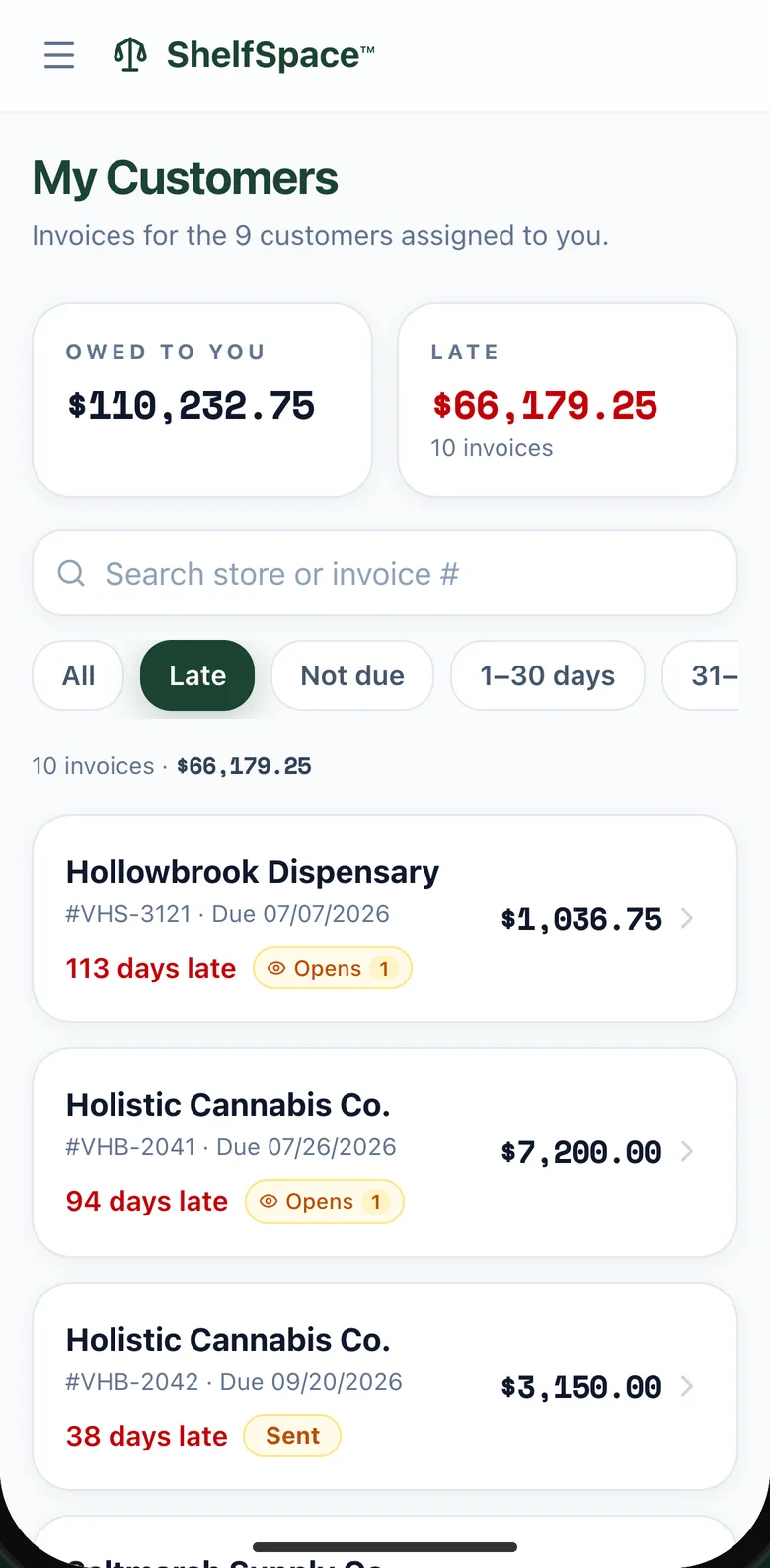
The rep's late list, on a phone. Shown with demo stores and amounts.
Walking into a store? Type its name in the search box, and only that store's invoices are left.
Every follow-up is one tap away
Tap any invoice and a sheet slides up with everything a rep can do about it:
- Send reminder emails the invoice and its pay link again.
- Share pay link opens the rep's own texts or messages with the link ready, so the buyer can pay right there.
- Mark as paid is for when the rep is handed a check, so nobody chases a bill that's already been paid.
- Log a promise to pay records the date the buyer gave.
- Call with AI has the assistant phone the store about the bill.
- Send final notice starts a formal letter you review before it goes out.
- Open invoice shows the full details, contacts and history.
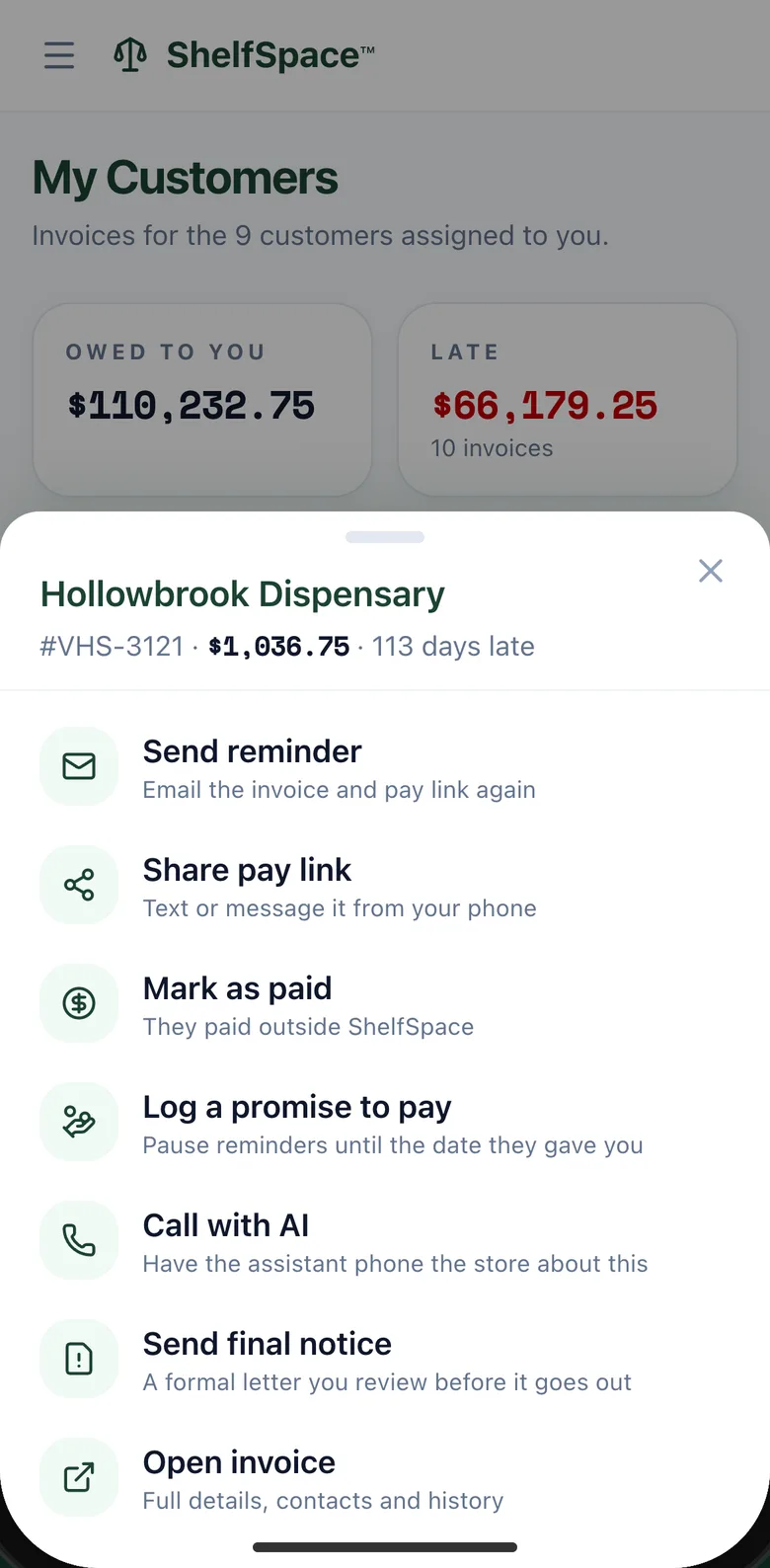
Tap an invoice, and every follow-up is right there.
When the buyer says "Friday"
Buyers make promises at the counter all the time. Now the rep can write it down. Pick the day and how the buyer told them, and the automatic reminders on that invoice pause until then. The buyer's pay link keeps working the whole time.
The card now says it's on hold and the date it was promised, so anyone on your team who opens it knows the plan. If the money doesn't come, the promise is flagged so a person decides what happens next. Nothing goes out to the store on its own.
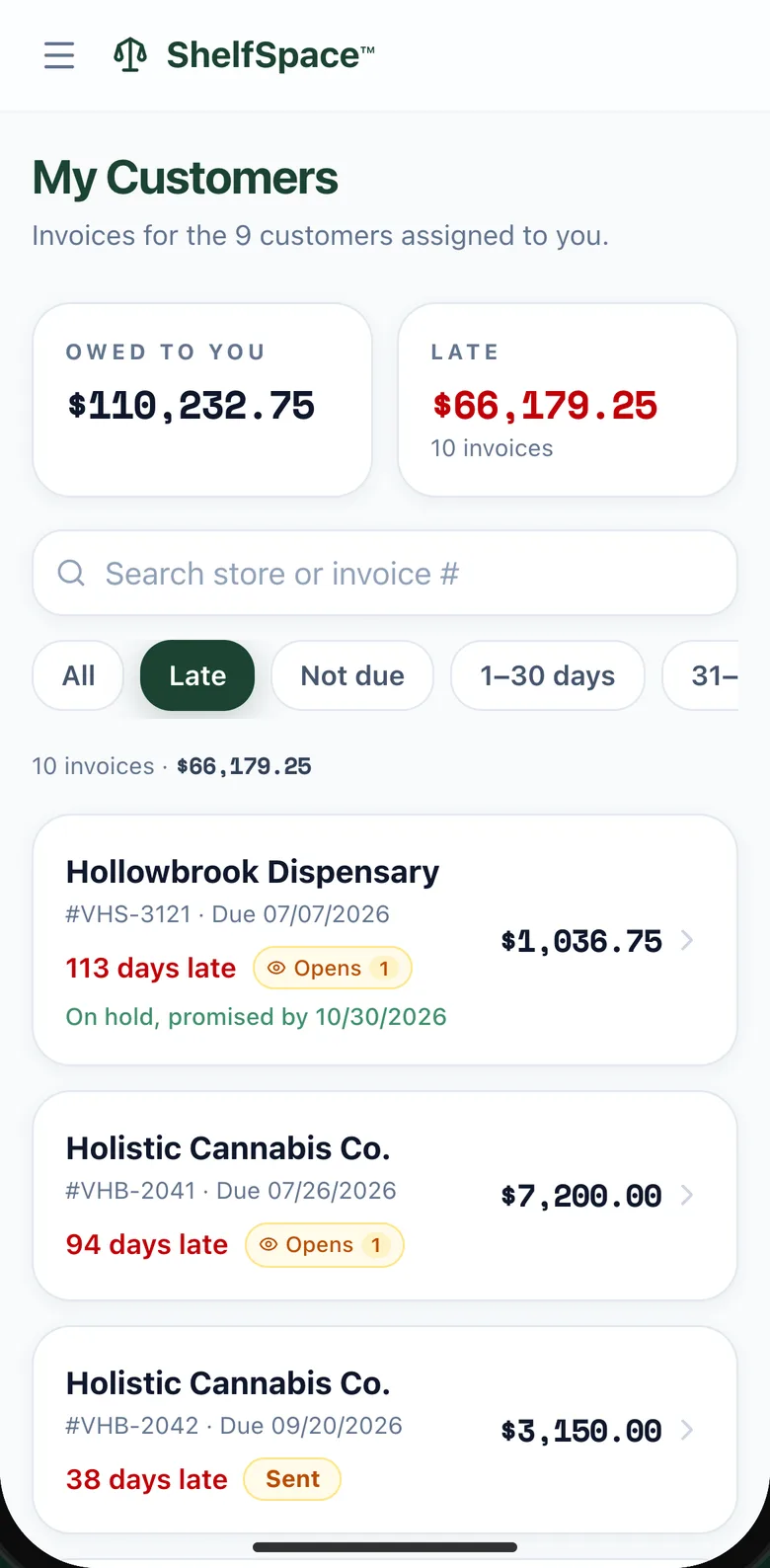
The card after the rep logs a promise.
Nothing they can break
Reps can't write off an invoice, delete one, set up a payment plan or send an account to collections. Those stay with your admins. Reps do the part they're best at: asking the buyer they already know.
Setting up reps and assigning stores is covered in the sales rep assignments guide. Reps also get a collections list by email every Monday.