Brands using the platform










When an invoice is months late, send one page that gets read: your words, a firm pay-by date, a code they scan to pay, and only the consequences you mean.
No collection agency needed to send a firm, dated notice. It comes from you, in your name.
60 days past due unless you pick another number in Settings.
From its row in AR Aging, the invoice page, or Review and send.
Your message, a pay-by date, and only the consequences you mean.
Exactly what you previewed, to the people who get the invoice.
The button only shows up on invoices that are past your mark.
Right between Mark paid and Can't collect?, on every invoice that's late enough.

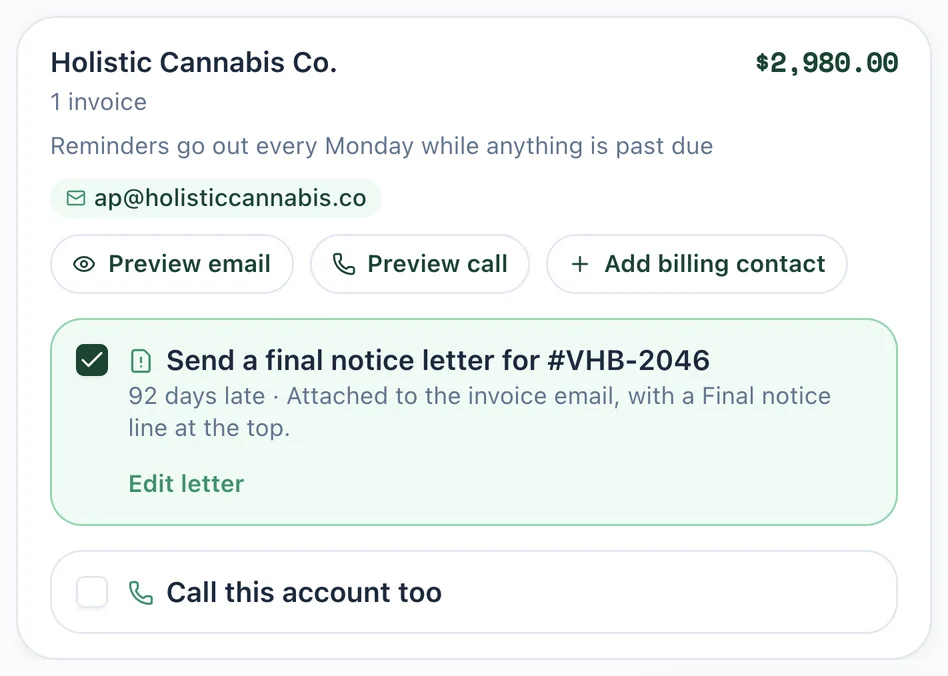
Each invoice that's late enough gets an unchecked “Send a final notice letter” option. Tick it, look over the letter, and click Use this letter.
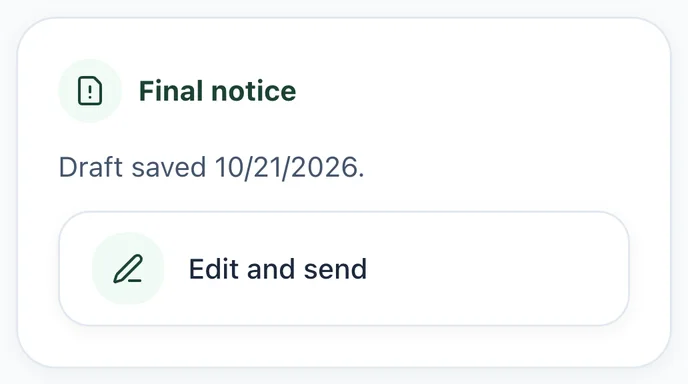
Prepare a letter, pick up a saved draft, or see the last one you sent.
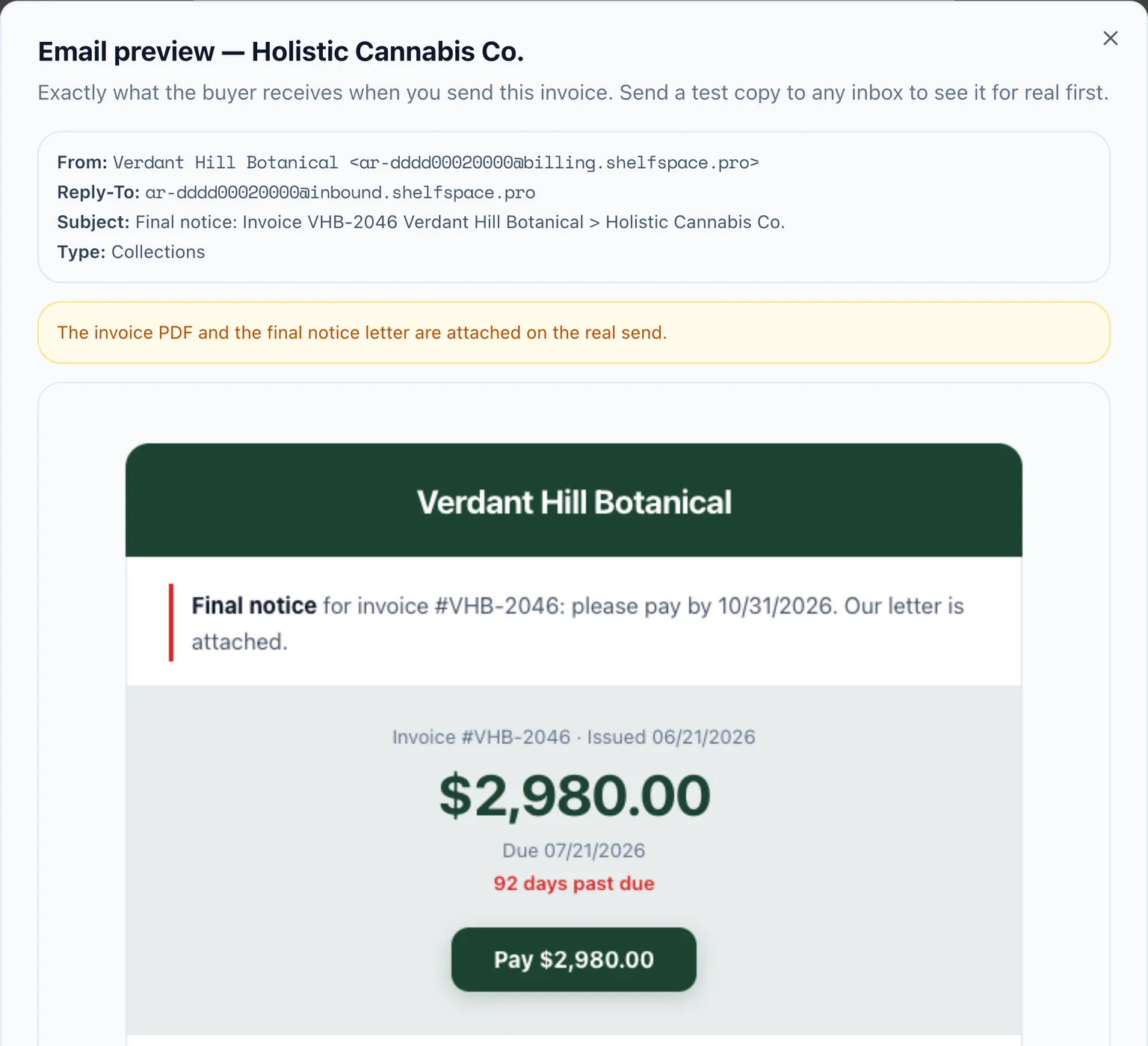
From Review and send, the letter is attached to the invoice email itself, with a Final notice line at the top. The store gets one email, and the subject tells them what it is.
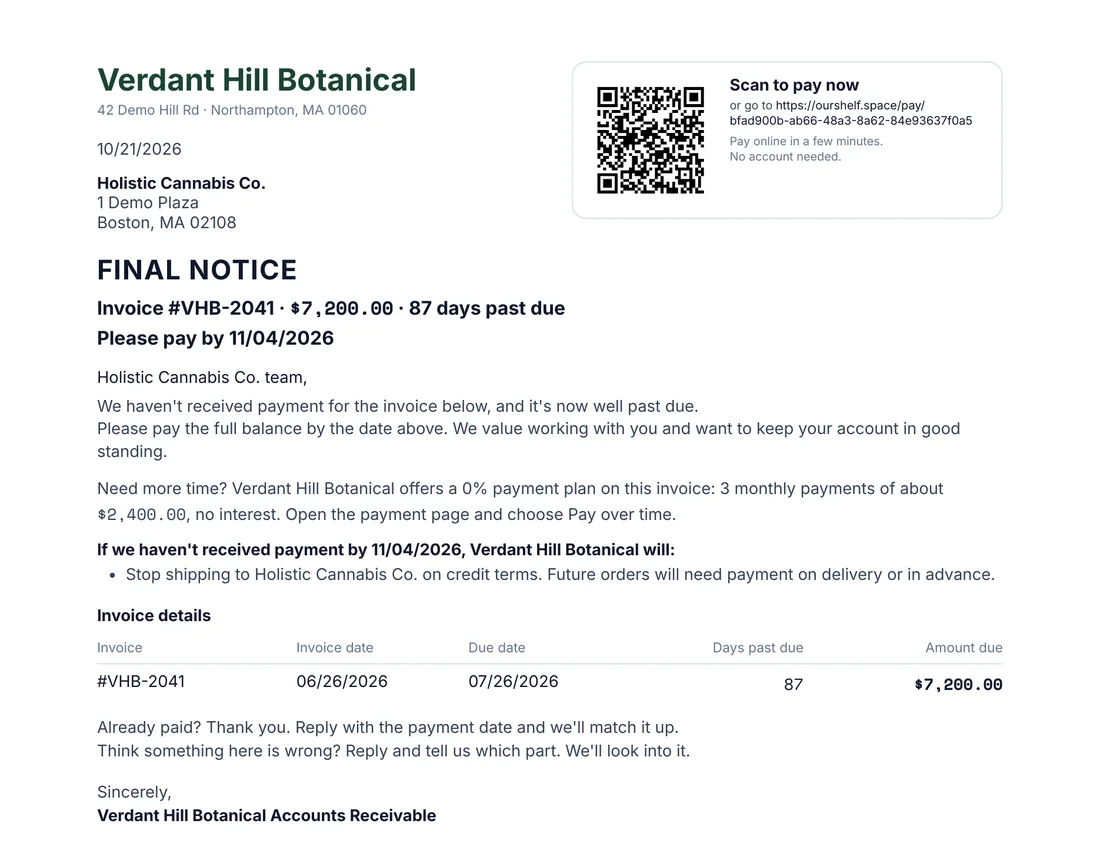
Built from the invoice itself, so every number is right.
Keep our wording or write your own, up to 1,200 characters. Pick 7, 10 or 14 days to pay. Then choose what happens if they still don't pay. Every box starts unchecked.
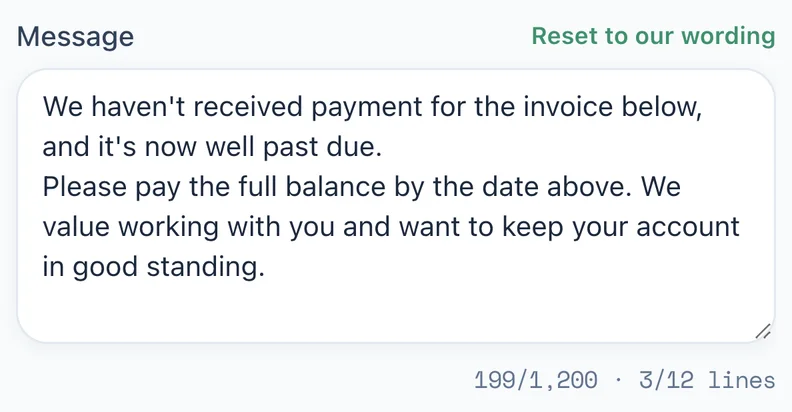
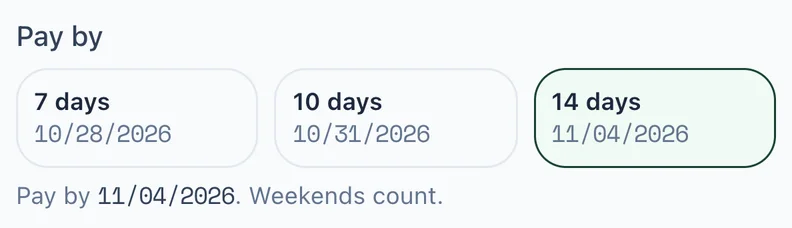
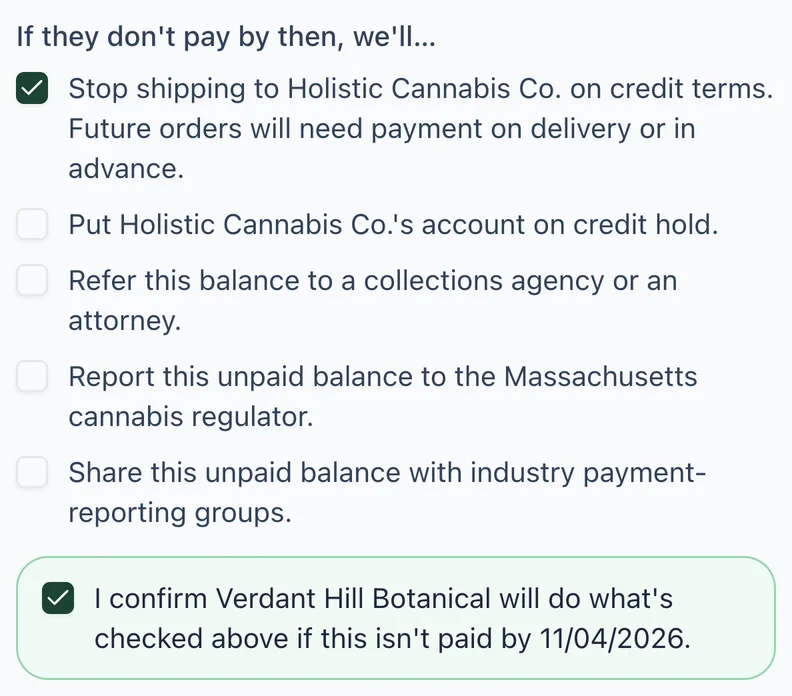
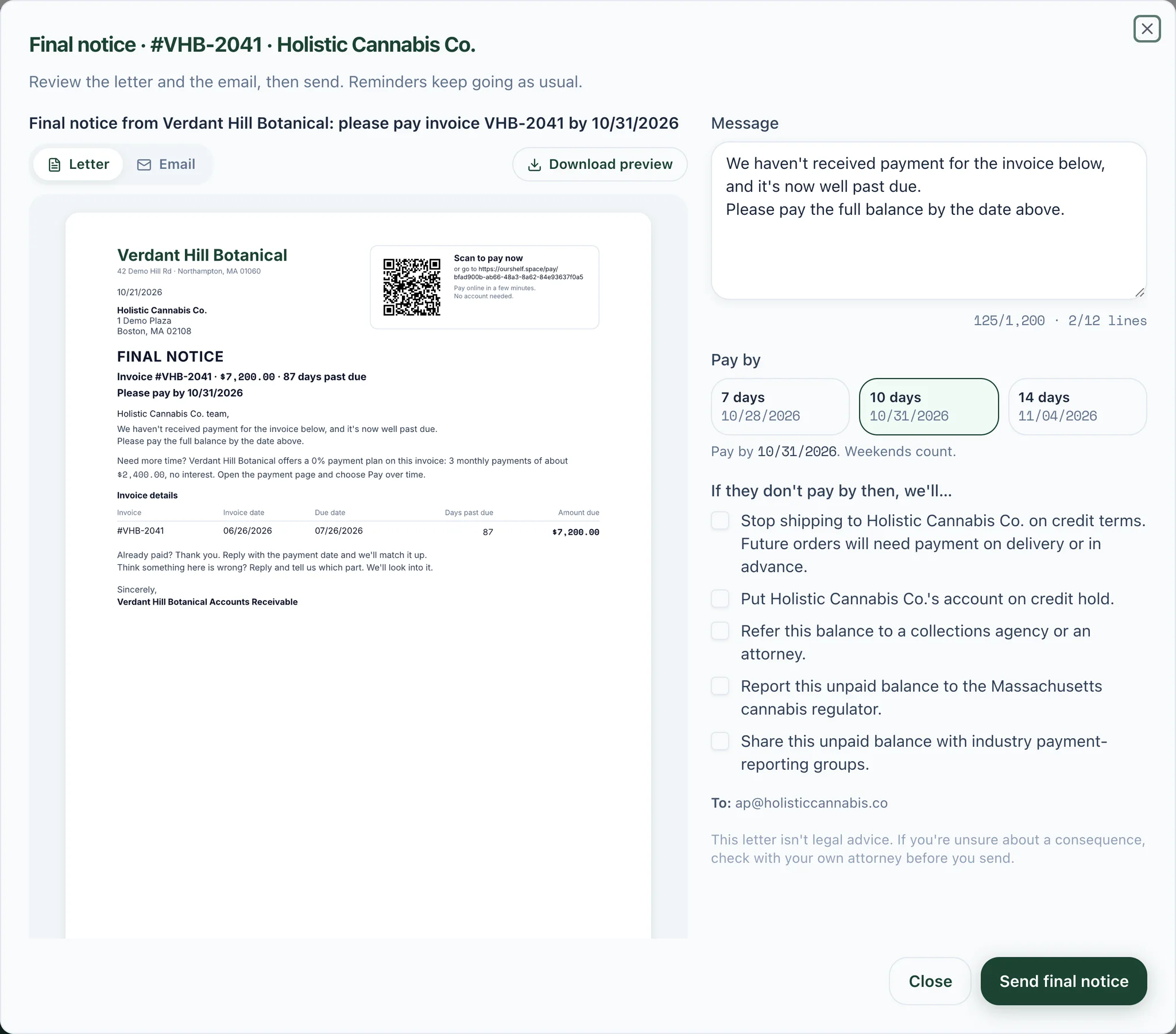
Flip between the Letter and Email tabs, or download the letter as a PDF. If anything on the invoice changes before you send, the preview updates.
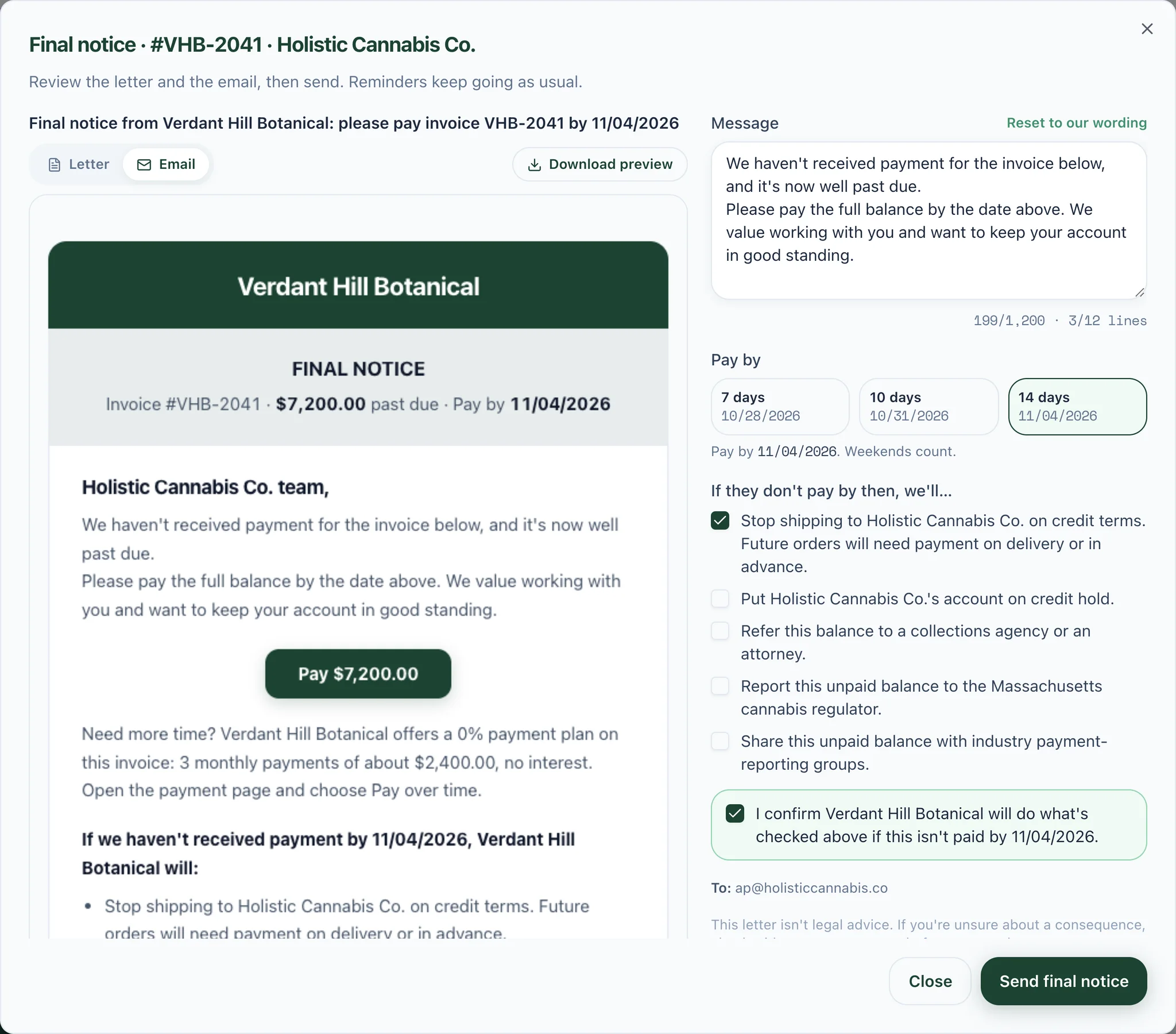
Sending a letter doesn't pause your reminders. The letter adds one clear, dated notice on top.
Nothing goes out on its own. A letter leaves only when you click send, or tick it in Review and send.
An invoice that's disputed, paused, waiting on a promise to pay, on a payment plan, or already paid is never offered a letter.
Rep logins don't see the Final notice button. The decision stays with the people who run your receivables.

Set your own mark in Payments → Settings → Collections → Final notice letters.
Once an invoice is past your mark: 60 days past due by default. Change the number in Payments → Settings → Collections → Final notice letters. Invoices that are disputed, paused, waiting on a promise to pay, on a payment plan, or already paid are never offered a letter.
No. You send every letter yourself, from the invoice's row in AR Aging, the invoice page, or Review and send. You preview the letter and the email first, and what you preview is exactly what gets sent.
It's one page on your letterhead: a scan-to-pay code and payment link at the upper right, the invoice details, a bold pay-by date, your own message, a 0% payment plan line when the invoice offers one, an “Already paid?” and “Think something is wrong?” line that invites a reply, and only the consequences you ticked. It's signed by your Accounts Receivable team.
Five, all off by default: stop shipping on credit terms, put the account on credit hold, refer the balance to a collections agency or an attorney, report the unpaid balance to the state cannabis regulator, and share the unpaid balance with industry payment-reporting groups. Tick any of them and a confirmation box asks you to confirm you'll follow through if it isn't paid by the date.
No. Reminders keep going as usual. The letter adds one clear, dated notice on top of them.
No. This letter isn't legal advice. If you're unsure about a consequence, check with your own attorney before you send.
See the money you're missing, then let ShelfCollect chase it with reminders, payment plans and, when it's time, a final notice in your name.