Chapters
- 0:00Intro
- 0:13Every credit memo you send is built from a…
- 0:39Now, what happens when a vendor just goes…
- 1:06Everything you've just set are your defaults
- 1:32Open any vendor and their full settings fold…
- 1:56Below that are the same credit sources, but…
- 2:21And that automatic booking works per vendor…
- 2:42One last decision, and it's about what…
- 3:10And that's the whole tab
Full transcript
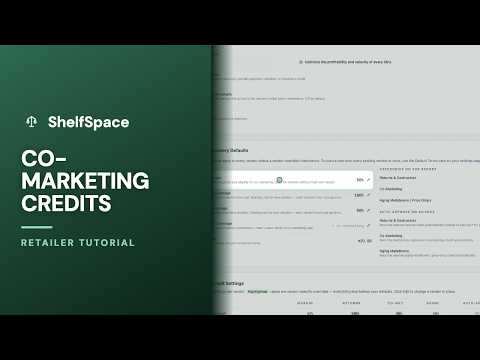
Credit recovery should mostly run itself — asking each vendor for exactly what you've agreed to, then handling the follow-up without you. This one tab is where you set all of that up, once.
Every credit memo you send is built from a few sources — returns and destruction, promotions you ran with a vendor, and markdowns on aging inventory. Right here is where you decide which of those are even on the table. Flip one of these switches off, and that whole category simply never gets asked for. So before anything else, this is where you shape what credit recovery is even looking for.
Now, what happens when a vendor just goes quiet? Once the review deadline passes, a documented credit can either book itself automatically, or wait for you to give it one last look. These switches make that call for you, separately for each kind of credit. Left off, the way they are here, every deemed credit parks for your review first. Turn one on, and that category settles itself the moment the clock runs out.
Everything you've just set are your defaults — they apply to every vendor automatically. But no two vendor deals are the same, so you can tailor any of it, vendor by vendor, right here. Each row shows that vendor's effective settings, including one column that tells you at a glance how many credit types they approve on their own. When a vendor needs something different, you open them up.
Open any vendor and their full settings fold out. Up top are their coverage rates — this is where a single vendor gets their own numbers, from their target margin to their share of returns, promotions, and aging markdowns. Leave any of them blank and that vendor quietly inherits the default you set for everyone. You only touch a rate here when this vendor's deal is genuinely different.
Below that are the same credit sources, but now just for this one vendor. Maybe you run promotions with them yet never charge aging markdowns — you'd switch aging off for them alone and leave the rest inheriting your default. And here's the handy part: switch all three of these off, and this vendor drops out of credit recovery entirely. They simply won't show up when you run it.
And that automatic booking works per vendor too. For one specific vendor, you can settle their documented credits the day the deadline hits, or hold every one of theirs for a manual look — no matter what your default does. A steady, trustworthy vendor can run on autopilot, while a newer relationship stays hands-on until you're comfortable.
One last decision, and it's about what happens after a credit is approved. If you run your accounts payable through ShelfSpace, approved credits just appear as deductions on that vendor's next payment — there's nothing for you to do. But if you keep your books somewhere else, flip this on. Every approved memo then emails straight to your accounting team, with a clean spreadsheet and the memo PDFs, so they can take the deduction in your own system.
And that's the whole tab. You set your defaults once — which credits to ask for, what settles on its own, and where the approved ones land — and from then on every vendor is handled exactly the way you would handle them yourself, with anyone who's different set up in seconds. Configure it once, and credit recovery runs the way your business actually works.
More in ShelfSpace Credit Memos
 Episode 1
Co-Marketing Credits
When you and a vendor discount together, they share the hit
Watch + transcript Episode 2
3:34
Episode 2
3:34
Inventory Aging Credits — Sharing Markdowns on Slow-Moving Product | ShelfSpace
Watch + transcript Episode 3
3:35
Episode 3
3:35
Setting Your Credit Rates
The four dials that decide every credit memo — set once, per vendor
Watch + transcript Episode 4
2:41
Episode 4
2:41
The Promotions Page
Advance vendor approval turns a markdown you'd otherwise absorb into vendor-funded co-marketing on wholesale-purchased inventory.
Watch + transcript Episode 5
3:46
Episode 5
3:46
Running Credit Recovery
Load last month's POS reports into the self-serve wizard and turn them into a clean stack of vendor credit memos — the whole monthly cycle, start to finish.
Watch + transcript Episode 6
1:55
Episode 6
1:55
What Is a Credit Memo?
The documented way to recover what your vendors owe you
Watch + transcript Episode 7
2:00
Episode 7
2:00
Return & Waste Credits
The credits vendors almost never argue with
Watch + transcript Episode 8
3:04
Episode 8
3:04
Reviewing & Sending Credit Memos
Check every draft, then send the month as one clean batch
Watch + transcript Episode 9
2:28
Episode 9
2:28
The Monthly Vendor Review
After you send a credit memo: how the vendor approves, partials, or declines — and how deemed approval protects you when they go quiet.
Watch + transcript Episode 11
2:05
Episode 11
2:05
ShelfiQ Handles the Vendor's Reply
Vendors reply by email — your AI assistant does the rest
Watch + transcript Episode 12
2:46
Episode 12
2:46
How Approved Credits Get Applied
From approved to real dollars back — mostly on its own
Watch + transcript Episode 13
2:28
Episode 13
2:28
The Scorecard: Measuring Your Credit Program
One screen for what your credit program actually recovered
Watch + transcript