Chapters
- 0:00Intro
- 0:12Every month, right here, you run credit…
- 0:32Those rates live on your Settings tab
- 0:47Start with your target retail margin
- 1:16Next, returns and waste coverage
- 1:42Third, co-marketing coverage
- 2:07And fourth, aging markdown coverage
- 2:35Now, everything you just set are your defaults
- 3:06One last thing that makes this powerful:…
Full transcript
Every credit memo you send a vendor comes down to just a few numbers — and you set them once. Let's dial in your rates so each month comes out exactly the way you'd negotiate it by hand.
Every month, right here, you run credit recovery — and it builds a credit memo for each of your vendors, asking for money you're owed back. But how does it know how much to ask for? That comes down to a handful of rates you set once. Get them right, and every memo lands exactly where you'd negotiate it yourself.
Those rates live on your Settings tab. There are just four of them, and each one answers a simple question: when something goes a vendor's way at your expense, how much of it do they cover? Let's take them one at a time.
Start with your target retail margin. This is the foundation — it defines what we call keystone, the normal price a product should sell at. Keystone is just your cost divided by one minus this margin, so at fifty percent, it's simply twice what you paid. That line is the bar: a sale above it is healthy, and a sale below it is a markdown a vendor might help you cover. So this one number quietly sets the baseline for two of your other credits.
Next, returns and waste coverage. When a customer brings a product back, or it has to be destroyed as waste, this is the share of that cost the vendor takes back. Most vendors cover the full amount — a hundred percent — because it's their product that failed, not a sale you chose to give away. It's the most straightforward credit there is, backed line by line by your own point-of-sale and Metrc data.
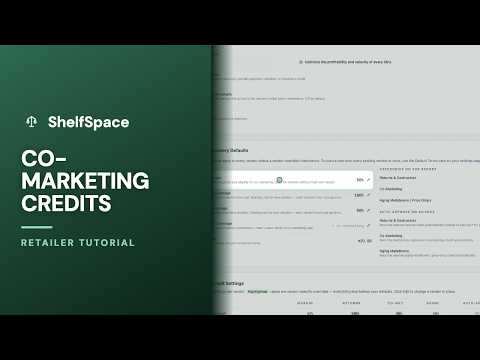
Third, co-marketing coverage — and this one only applies to product you bought wholesale. When you and a vendor agree to run a promotion and the product sells below keystone, this is the share of that shortfall they pitch in. On consignment it never comes up, because there the vendor already shares every discount through their split. So this rate is your agreed piece of the promotions you run together.
And fourth, aging markdown coverage — again, wholesale only. When a package sits past its category's aging window and finally sells below keystone, this is the vendor's share of that markdown, even without a promotion the two of you set up. It's completely separate from co-marketing — you can set it higher, since slow-moving product is a shared risk. Leave it blank, the way it is here, and it simply follows your co-marketing rate.
Now, everything you just set are your defaults — they apply to every vendor automatically. But no two vendor deals are identical, so you can override any rate for any single vendor. See how some of this vendor's numbers are highlighted in green? Those are rates negotiated just for them. Everything in plain text is quietly inheriting your defaults — so a blank override always falls back to the number you set up top. You only touch a vendor when their deal is genuinely different.
One last thing that makes this powerful: these are your terms. You set them, and they take effect immediately — there's no vendor sign-off to wait on. So set each rate to match the deal you've actually made, vendor by vendor. Do that once, and every credit memo you send comes out exactly the way you would have negotiated it — backed by your own numbers, month after month.
More in ShelfSpace Credit Memos
 Episode 1
Co-Marketing Credits
When you and a vendor discount together, they share the hit
Watch + transcript Episode 2
3:34
Episode 2
3:34
Inventory Aging Credits — Sharing Markdowns on Slow-Moving Product | ShelfSpace
Watch + transcript Episode 4
2:41
Episode 4
2:41
The Promotions Page
Advance vendor approval turns a markdown you'd otherwise absorb into vendor-funded co-marketing on wholesale-purchased inventory.
Watch + transcript Episode 5
3:46
Episode 5
3:46
Running Credit Recovery
Load last month's POS reports into the self-serve wizard and turn them into a clean stack of vendor credit memos — the whole monthly cycle, start to finish.
Watch + transcript Episode 6
1:55
Episode 6
1:55
What Is a Credit Memo?
The documented way to recover what your vendors owe you
Watch + transcript Episode 7
2:00
Episode 7
2:00
Return & Waste Credits
The credits vendors almost never argue with
Watch + transcript Episode 8
3:04
Episode 8
3:04
Reviewing & Sending Credit Memos
Check every draft, then send the month as one clean batch
Watch + transcript Episode 9
2:28
Episode 9
2:28
The Monthly Vendor Review
After you send a credit memo: how the vendor approves, partials, or declines — and how deemed approval protects you when they go quiet.
Watch + transcript Episode 10
3:38
Episode 10
3:38
Credit Recovery Settings
Every switch that shapes what you ask each vendor — set once
Watch + transcript Episode 11
2:05
Episode 11
2:05
ShelfiQ Handles the Vendor's Reply
Vendors reply by email — your AI assistant does the rest
Watch + transcript Episode 12
2:46
Episode 12
2:46
How Approved Credits Get Applied
From approved to real dollars back — mostly on its own
Watch + transcript Episode 13
2:28
Episode 13
2:28
The Scorecard: Measuring Your Credit Program
One screen for what your credit program actually recovered
Watch + transcript